MCP & APIs

Work with Yahoo DSP
from your AI tools

Ask a quick question from the AI assistant you already use, or connect Yahoo DSP to your own agents and platforms. MCP servers and open APIs cover campaign activation, audiences, creative, delivery diagnostics, reporting, conversions, and custom bidding.

Where This Fits

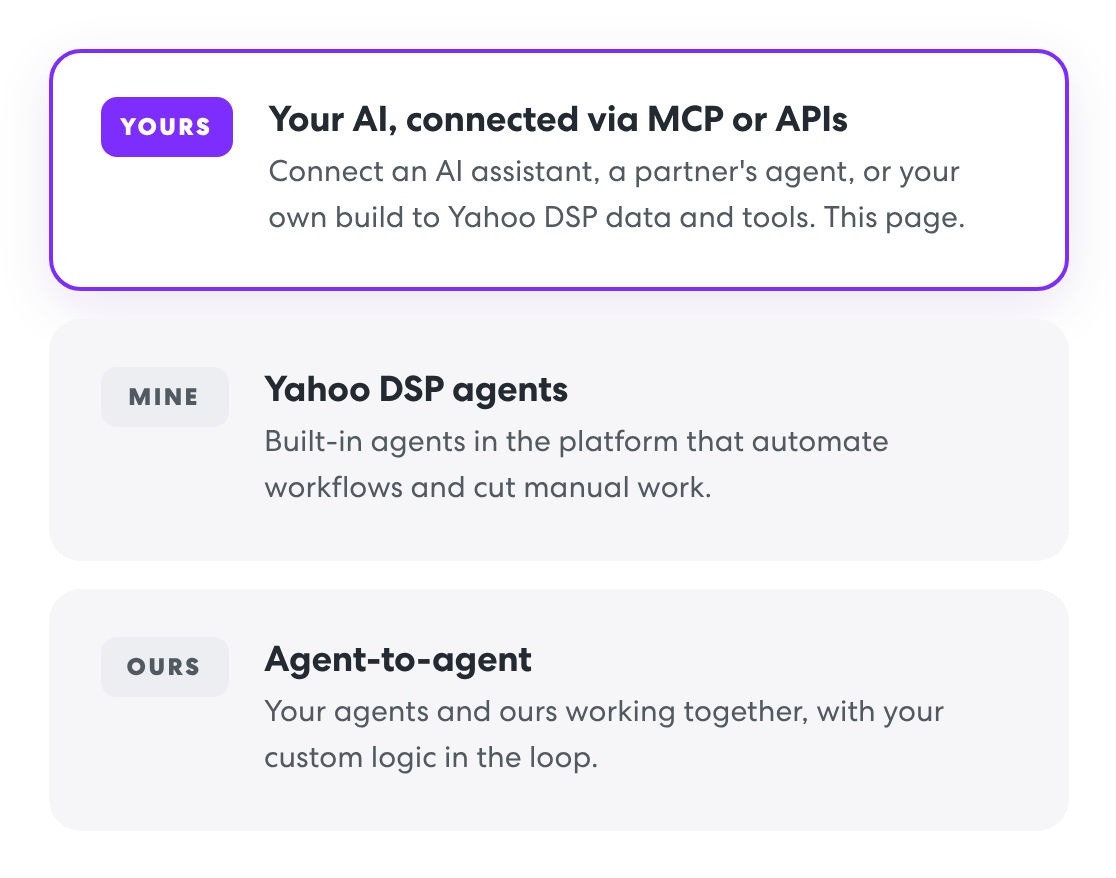
The "Yours" in Yours, Mine, and Ours

Yahoo DSP gives you three ways to work with agentic AI. MCP and APIs power the first one: your own AI tools working inside Yahoo DSP with the same data and tools your traders use. That can be an off-the-shelf assistant, a partner's agent, or one you build.

See the full agentic AI approach

MCP Servers

Describe the goal. Your AI handles the fields.

Model Context Protocol (MCP) is the open standard AI agents use to connect to outside tools. Yahoo DSP MCP servers let any MCP-compatible AI assistant or agent work with the platform in plain language, with no custom API build required.

Start simple

Ask from the assistant you already use

Add the Yahoo DSP MCP server to an AI assistant like Claude or Cursor and start asking questions. No code to write.

"How much did my campaigns spend last week?"

Go further

Build it into your own agents

Wire Yahoo DSP into custom agents and workflows. Layer in signals from other platforms and let your agent act on them, from budget shifts to full campaign setup.

"Read this media plan and build the campaign."

DSP MCP

One connection for the core buying workflow

A single setup covers campaigns, audiences, creative, and delivery diagnostics. Build, read, update, and troubleshoot from a chat window or an automated workflow, without logging into the UI.

Campaigns & linesCreate, search, and update campaigns, packages, lines, ads, and targeting.
AudiencesSearch the catalog and build custom audiences, with reach and pricing.
CreativeCreate third-party creatives, update metadata, and check audit status.
Delivery diagnosticsGet at pacing, forecast, exclusions, and setup issues on any line.

Reporting MCP

Ask about performance in plain language

Query the same reporting data available in Yahoo DSP Report Builder through conversation. Your AI can discover available dimensions and metrics, pick a timeframe, and return a direct answer.

Spend & deliverySpend, impressions, clicks, CTR, and conversions.
Video & CTVCompletion rates and incremental household reach.
Supply qualitySupply path insights from Jounce Media data.
Any groupingBy campaign, line, creative, device, geo, exchange, and more.

What It Sounds Like

Things you can ask today.

You ask

Create a display campaign under account 123456 with a $500 budget running March 10 to March 31, optimized for clicks to my website.

Create a CTV video line under campaign 827014 with a maximize incremental reach goal, an $18 CPM bid, and a $250 budget.

Update line 3908153 to change the bid from $2.50 to $3.00.

Your AI works out goal types, billing, budgets, flight dates, and targeting, then builds it in Yahoo DSP. Yahoo Blueprint Performance can be switched on in the same request.

Open APIs

Wire Yahoo DSP into your platform

For teams building their own integrations. Data and signals move both ways: pull performance out to centralize decisions, push creative, conversions, and bidding logic in.

Trafficking API

Create and manage campaigns, lines, creatives, and ads programmatically, across multiple seats from one integration.

For ad servers, creative platforms, and agencies

Reporting API

Pull Yahoo DSP performance into your dashboards next to your other media partners. Same data as Report Builder.

For reporting and analytics platforms

Conversion API

Send online and offline conversions server to server. Hashed, cookieless, and matched through Yahoo ConnectID.

For measurement, commerce, and CDP partners

Bring Your Own Algorithm

Upload your own bid multiplier models and steer line-level bidding with your first-party data and logic.

For trading desks and data science teams

One auth, full access

A single OAuth 2.0 client ID and secret works across the Yahoo DSP APIs and MCP servers. Set it up once, then add workflows as you need them.

OAuth 2.0HTTPS onlySOC 2 Type II platform

Getting Started

From credentials to first prompt

Full setup in the developer docs
  1. Get API access

    Work with your Yahoo DSP team to enable API access for your seat.

  2. Generate credentials

    Create your client ID and secret. The same credentials cover APIs and MCP.

  3. Connect your AI

    Add the Yahoo DSP MCP server to your AI assistant or agent, or call the APIs directly.

  4. Start working

    Ask your first question, build your first line, or pull your first report.

In Practice

RPA and Newton Research built an agent on Yahoo DSP MCP

RPA's agent connects to Yahoo DSP through MCP, reads the media plan, pulls planning and performance data, and turns campaign inputs into structured activation steps. Their team spends less time on setup and more on strategy.

3x

Faster campaign activation

(Source: Based on RPA Q1 and Q2 campaigns in Yahoo DSP.)

By applying agentic AI to programmatic media workflows, RPA is removing operational barriers, enabling our teams to focus their human expertise on diversifying and maximizing marketplace partnerships in service of our clients' business outcomes.

Lisa Herdman
Chief Enterprise Integration Officer
RPA

Help shape the roadmap

Review the API specs and tell us what you'd build. Feedback from technical teams goes straight into what we ship next.

Partner with us

Building an agent or platform integration on Yahoo DSP? Reach out to your Yahoo DSP contact or email our data innovation team.

Ready to build

Everything you need is in the docs.

Setup guides, API specs, and MCP configuration for Yahoo DSP and agentic AI.